


Ableton Live 13: Release Date, New Features, and Everything Producers Need to Know


Ableton Live 13 is coming in early 2027, bringing a new Step Sequencer, ARA 2 audio editing, Drum Synth, Capture Automation, expanded Racks, and powerful new mixing tools to one of the most popular DAWs for electronic music production.
Officially announced on November 10, 2026, Ableton Live 13 introduces new ways to create MIDI patterns, design sounds, edit audio, and control effects without abandoning the familiar Live workflow. The new version is currently available as a public beta for eligible users.
Whether you produce Tech House, House, Techno, UK Garage, or another electronic music genre, here are the biggest Ableton Live 13 features, how they work, and what they mean for your music production workflow.
Key Takeaways: What's New in Ableton Live 13?
Release date: Early 2027.
Step Sequencer: Create beats, melodies, and polyrhythms with independent step lengths and per-step controls.
ARA 2 support: Edit audio with compatible plug-ins directly in Arrangement View.
Drum Synth: Design percussion using more than 20 synthesis engines.
Capture Automation: Turn parameter movements made while experimenting into editable automation.
Expanded Racks: Use up to 32 Macro Controls with customizable mapping.
New mixing effects: Multiband and Mid-Side Racks, Clipper, and Transient Shaper.
Improved workflow: Contextual Browsing, Device Slots, and other enhancements.
Push 3 updates: Custom Layouts, Step Sequencer, and Performance Mixer.
For the complete feature list, visit the official Ableton Live 13 page.
When Is Ableton Live 13 Being Released?
Ableton Live 13 is scheduled for release in early 2027. Ableton announced the new version on November 10, 2026, alongside the launch of its public beta.
The beta gives eligible Live Standard and Suite users an opportunity to explore the new features before the final release.
Ableton has also announced a promotional offer for Live 12 purchases and upgrades, including a free upgrade to the corresponding Live 13 edition when it becomes available, subject to the official offer's terms.
You can find the latest release information, pricing, and upgrade options on the official Ableton Live 13 page.
1. Ableton Live 13 Step Sequencer: Create Beats, Basslines, and Melodies
The new Step Sequencer is one of the biggest additions to Ableton Live 13. It introduces a dedicated pattern-based workflow for creating rhythmic sequences, drum patterns, and melodies directly inside Live.
Instead of entering every note through the traditional piano roll, producers can build patterns step by step and experiment with different rhythmic structures.
What can you do with the new Step Sequencer?
Live 13's Step Sequencer includes several controls for shaping individual steps:
Independent row lengths: Create patterns of different lengths that evolve against each other.
Velocity: Adjust the dynamics of individual notes.
Chance: Introduce controlled randomness into a pattern.
Repeat: Create repeated notes and rhythmic variations.
Pitch and pitch bend: Add melodic movement and expressive changes.
These features make it easier to create evolving grooves, polyrhythms, and sequences that change over time.
For House and Tech House producers, the Step Sequencer offers new ways to experiment with percussion, basslines, and rhythmic synth patterns. UK Garage and bass music producers can also benefit from the ability to combine different pattern lengths and introduce variation into repetitive loops.
The goal is not to replace the piano roll. It is to give producers another way to generate ideas and develop patterns.
2. ARA 2 Support: Better Audio and Vocal Editing
Ableton Live 13 introduces ARA 2 support, allowing compatible audio-editing plug-ins to integrate more closely with clips in Arrangement View.
ARA 2 is particularly useful for audio editing applications that need access to a clip's audio, timing, and musical context without relying on traditional real-time plug-in processing alone.
One of the most important examples is Melodyne, which can be used to edit vocal pitch and timing.
What does ARA 2 mean for music producers?
With compatible plug-ins, producers can work on tasks such as:
Correcting vocal pitch.
Adjusting the timing of individual vocal notes.
Editing recorded melodic performances.
Refining audio for production and post-production.
Live 13 Suite also includes Melodyne essential, providing a new option for pitch and timing editing within the Ableton ecosystem.
For producers who work with vocal samples, recorded vocals, or melodic audio, this is a meaningful improvement to Live's editing workflow.
Read the official Live 13 release notes for details about ARA 2 support and its workflow in Arrangement View.
3. Capture Automation: Record Creative Movements After the Fact
Capture Automation is a new Ableton Live 13 feature that lets you retrieve parameter movements made while experimenting with a track.
Imagine moving a filter cutoff, adjusting reverb, changing delay feedback, or manipulating several effect parameters while listening to a loop. You discover an interesting movement, but you weren't recording automation.
With Capture Automation, you can retrieve those gestures and turn them into editable automation.
The feature supports audio, MIDI, and return tracks, making it useful for a wide range of production workflows.
Why is Capture Automation useful?
Electronic music production often involves experimenting with parameters until something interesting happens. Traditionally, if you wanted to preserve a specific movement, you needed to record it or recreate it manually.
Capture Automation makes this process more flexible.
You can experiment with filter sweeps, evolving textures, effect transitions, and other movements before deciding which parts belong in the final arrangement.
For producers who build complex effect chains or automate multiple parameters during a session, this could become one of Live 13's most useful workflow improvements.
4. Drum Synth: Design Your Own Drum Sounds
Ableton Live 13 introduces Drum Synth, a device designed for creating percussion through synthesis.
Rather than starting with a recorded sample, you can shape drum sounds using dedicated synthesis engines, including options for classic drum-machine sounds and more experimental percussion.
Ableton describes the device as featuring more than 20 drum engines.
What can you create with Drum Synth?
Drum Synth is designed for building and shaping sounds such as:
Kick drums.
Snares and claps.
Toms and other percussion.
Synthetic and experimental drum sounds.
Synthesized percussion gives producers more control over the character of individual sounds. Instead of searching through sample libraries for the perfect kick or snare, you can create a sound specifically for the track.
For Tech House, House, and Techno, this can be particularly useful when building a consistent drum palette or designing percussion that complements a bassline.
Sample-based production remains valuable, of course. Combining synthesized drums with carefully selected samples can provide even more flexibility.
If you prefer building drum patterns with classic 909 sounds, check out the RM Vibes 909 Drum Kits. They offer another way to build your drums in Ableton Live using familiar drum-machine sounds.
5. Looplet: Create Multiple Textures from a Single Sample
Looplet is another new sound-design tool included with Ableton Live 13 Suite.
This Max for Live device uses four playheads to loop and layer different sections of a single sample.
The result is a way to extract multiple textures from one audio source without needing to load several separate samples.
How can producers use Looplet?
Looplet opens up possibilities for:
Creating evolving textures.
Generating rhythmic variations from audio.
Layering different sections of a sample.
Building experimental loops and atmospheric elements.
Transforming simple recordings into more complex sounds.
For electronic music producers, this is an interesting addition to the sound-design workflow because it encourages experimentation with material you already have.
A short vocal recording, percussion loop, or atmospheric sample can become the starting point for something completely different.
6. Ableton Live 13 Racks: Up to 32 Macro Controls
Ableton Racks are already a powerful way to combine instruments and effects into customized processing chains.
Live 13 expands this workflow by allowing Racks to use up to 32 Macro Controls, alongside customizable mapping curves and additional modulation possibilities.
This gives producers more flexibility when building complex instruments, effect chains, and performance-oriented setups.
Why are the new Rack controls important?
Macro Controls let you adjust multiple parameters from a single control. Instead of opening several devices and changing individual settings, you can design a more unified interface for shaping a sound.
For example, a custom Rack could combine:
Filter cutoff and resonance.
Saturation and distortion.
Reverb and delay.
Stereo width.
Envelope and release settings.
A single Macro can control several parameters together, allowing you to transform a sound quickly and consistently.
Custom mapping curves also provide more control over how Macro movements affect their assigned parameters.
For producers who enjoy building instruments and effects rather than relying exclusively on individual plug-ins, these improvements make Racks even more versatile.
Ableton Live Racks for DJs
Ableton Live is also widely used by DJs for recording sets, creating transitions, and experimenting with effects beyond the traditional DJ mixer workflow.
At RM Vibes, you'll find several Ableton Live Racks designed specifically for DJs who want to bring familiar club mixer features into their Ableton setup.
Some examples include:
DJM Mixer: Recreates the EQ curves and frequency ranges of Pioneer DJM mixers, with familiar DJ-style controls.
DJM Effects: A collection of classic DJ effects, including Echo, Beat Repeat, Reverb, filters, White Noise, and Scratch Mode.
DJ Easy Mix: Designed to simplify DJ transitions with automated volume and bass control.
Whether you're recording DJ sets, creating smoother transitions, or experimenting with DJ-style effects inside Ableton, these Racks offer practical tools for expanding your setup.
Explore the complete collection of Ableton Live Racks at RM Vibes.
7. New Mixing Tools: Multiband Racks, Mid-Side Processing, Clipper, and Transient Shaper
Ableton Live 13 introduces several tools designed to give producers more control over mixing and sound shaping.
Multiband Racks
Multiband processing allows different frequency ranges to be processed independently.
For example, you could apply different processing to the low, mid, and high frequencies of a sound instead of treating the entire signal identically.
This can be useful for controlling bass, shaping drum buses, or designing more complex effect chains.
Mid-Side Racks
Mid-Side processing separates the center and side components of a stereo signal.
This allows you to process the central elements and stereo information differently, providing more control over width and spatial character.
It can be useful for refining stereo effects, atmospheric layers, and other elements of a mix.
Clipper
Clipper provides a way to shape signal peaks and add clipping characteristics to a sound.
Depending on how it is used, clipping can help control transient peaks and change the perceived impact of drums and other signals.
You don't have to wait for Ableton Live 13 to start using clipping in your productions. Check out the RM Vibes Clipper 2 Rack, a native Ableton Live tool for clipping, filtering, and shaping dynamics without third-party plug-ins.
Transient Shaper
Transient Shaper gives producers more direct control over the attack and sustain characteristics of a sound.
For example, you can emphasize the initial impact of a kick, reduce the sustain of a percussion hit, or reshape drum transients to make a pattern feel tighter and more controlled.
You don't have to wait for Ableton Live 13 to start shaping transients. RM Vibes already offers several dedicated Ableton Racks for transient processing, including the Single-Band Transient Shaper, the Multiband Transient Shaper, and the Transient / Sustain Rack. Whether you want straightforward transient control, more targeted processing across different frequency bands, or separate processing of transient and sustain components, there's an option to fit your workflow.
Explore the Ableton Live Racks collection at RM Vibes.
8. Contextual Browsing and Device Slots: A Faster Ableton Workflow
Live 13 introduces workflow improvements that make it easier to add devices, swap presets, and manage effects.
Contextual Browsing
Contextual Browsing allows producers to load devices and swap presets directly from the device chain or mixer.
Rather than navigating through the main Browser every time you want to change a sound, you can work more directly from the device you are using.
This can make experimenting with instruments and effects faster, particularly when comparing different presets or building processing chains.
Device Slots
Device Slots allow you to view, enable, reorder, and manage devices directly from the mixer.
You can also add devices, swap presets, and show or hide plug-in windows without repeatedly navigating between tracks.
These changes may appear smaller than the introduction of a new instrument, but they improve tasks that producers perform throughout every session.
Less time spent navigating menus means more time experimenting with sounds and arranging music.
9. A Refreshed Ableton Live 13 Core Library
Live 13 introduces a refreshed factory sound library, including new presets, Drum Racks, Audio Effect Racks, MIDI clips, and samples.
According to Ableton's beta release notes, the new content includes:
More than 45 Drum Racks.
More than 180 instrument presets.
More than 260 Audio Effect Racks and device presets.
More than 160 MIDI clips.
More than 270 new samples.
The library also features updated naming and tagging to improve browsing and make it easier to find relevant sounds.
These additions give producers more starting points when building tracks with Live's built-in instruments and effects.
However, the factory library is only one part of the sound-design process. Dedicated synthesizers, third-party presets, and sample packs remain useful for producers looking for a specific musical character.
Looking for more Serum 2 sounds?
If you use Serum 2 for bass design, leads, stabs, and other electronic sounds, RM Vibes offers several sound-design packs for different styles.
UK Garage & Bass Vibes includes 80 Serum 2 presets covering wobble basses, bass sounds, Reese basses, sub basses, and an Amen Break-based Drum preset.
Explore the UK Garage & Bass Vibes preset pack.
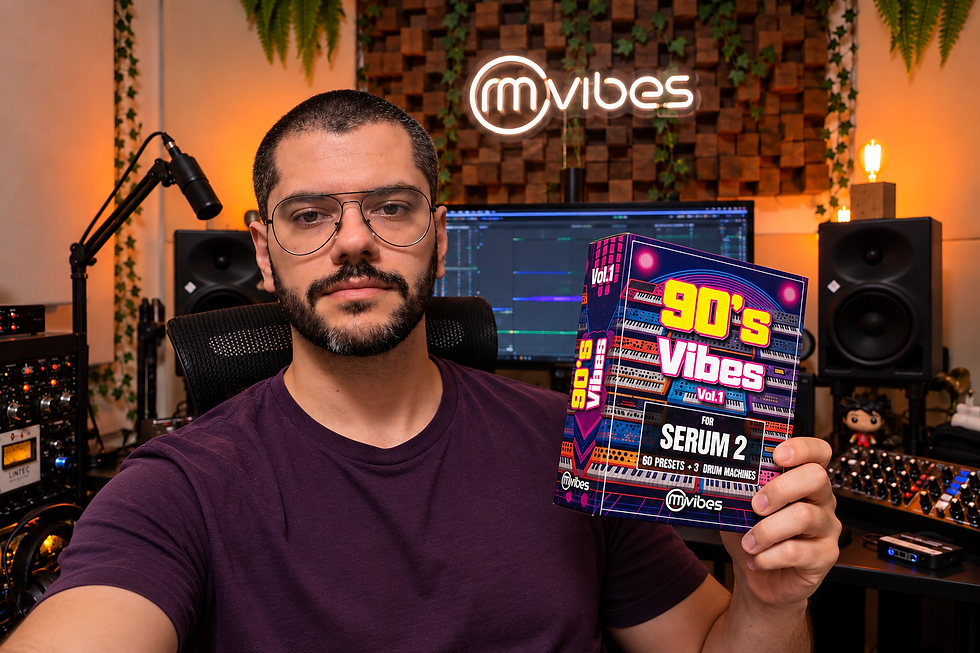
For a different direction, 90's Vibes explores sounds associated with classic electronic music styles.
These packs complement Ableton's production tools by providing additional sounds to build into your own tracks.
10. Ableton Push 3 Gets Custom Layouts and New Performance Tools
Ableton Live 13 also brings significant improvements to Push 3, Ableton's hardware instrument and controller.
The new features include Custom Layouts, a dedicated Step Sequencer layout, Performance Mixer, and improvements to Device Mode.
Custom Layouts
Custom Layouts allow Push 3 users to arrange different playing and control elements on the pad surface.
Producers can combine elements such as instrument playing, clip launching, and expressive XYZ controls into layouts suited to individual projects.
Step Sequencer
The new Step Sequencer also gets a dedicated Push workflow, including Expressive Step Editing for detailed changes to individual steps or broader gestures across the pads.
Performance Mixer
Performance Mixer makes it possible to interact with mixer controls as part of a hands-on performance workflow.
Device Mode also receives improvements for navigating and controlling complex Racks.
Push 2 receives support for the new Step Sequencer and many Device M
ode improvements, although Custom Layouts and certain other Push 3 features are not available on Push 2.
For producers who prefer hands-on control over mouse-based editing, these updates make the Push ecosystem more flexible for both studio production and live performance. Beyond these Push improvements, Ableton Live can also be a powerful tool for DJs who want to record mixes or build their own live performance setups. If you're interested in exploring this workflow, check out the RM Vibes DJ MIXSET Template, which includes two ready-to-use templates for recording DJ mixes and performing transitions with DJM-inspired EQ and effects.
Ableton Live 13 vs. Live 12: What's the Difference?
Ableton Live 13 builds on Live 12 with new tools for MIDI sequencing, audio editing, sound design, mixing, and workflow management.
Here is a quick comparison of the major additions.
Feature | Ableton Live 12 | Ableton Live 13 |
Step Sequencer | No built-in Step Sequencer of this type | New dedicated Step Sequencer |
ARA 2 | Not supported | Supported in Arrangement View |
Capture Automation | Not available | New feature |
Drum Synth | Not included as the new Live 13 device | New synthesis-based percussion device |
Looplet | Not included | Included with Live 13 Suite |
Rack Macro Controls | Up to 16 | Up to 32 |
Multiband and Mid-Side Racks | Not included as the new Live 13 Rack tools | New Racks |
Clipper and Transient Shaper | Not included as these new Live 13 effects | New effects |
Contextual Browsing | Existing browsing workflow | Expanded device-chain browsing |
Device Slots | Not available in the new Live 13 form | New mixer workflow |
The biggest differences are not simply the number of new devices. Live 13 also introduces changes to the way producers create patterns, capture automation, edit audio, and work with effects.
For users who already know Live 12, the new version builds on a familiar environment while offering more options for sound design and production.
Are Ableton Live 12 Projects Compatible with Live 13?
Yes. Ableton Live 12 Sets can be opened in Live 13.
Live 13 builds on the existing Ableton workflow, so producers can continue working with their existing projects while exploring the new features.
This is particularly useful if you have established templates, custom Racks, or ongoing productions that you want to continue developing in the new version.
For producers who use Ableton templates as starting points for new tracks, the workflow remains familiar: open a project, explore the arrangement, adjust the sounds, and develop the idea into a finished production.
Which Ableton Live 13 Edition Should You Choose?
Ableton Live 13 is available in three editions: Intro, Standard, and Suite. Each edition offers a different set of instruments, effects, sounds, and creative tools.
Live 13 Intro
Intro is designed for producers who want to start making music with a more limited set of tracks and features.
Live 13 Standard
Standard provides an expanded production environment with unlimited tracks and Scenes, alongside a larger selection of instruments, effects, and sounds.
Live 13 Suite
Suite includes the complete collection of Live instruments and effects, the full Core Library, and Max for Live.
Suite also includes Melodyne essential, Looplet, Clipper, Transient Shaper, and the Classic Dynamics & EQ Pack by Softube as part of the Live 13 offering.
The right edition depends on your production needs, preferred workflow, and the tools you want available directly inside Live.
For current pricing, upgrade options, and the complete feature comparison, visit the official Ableton Live 13 shop.
Frequently Asked Questions About Ableton Live 13
When will Ableton Live 13 be released?
Ableton Live 13 is scheduled for release in early 2027. The public beta was announced on November 10, 2026.
What are the biggest new features in Ableton Live 13?
The biggest additions include the Step Sequencer, ARA 2 support, Capture Automation, Drum Synth, expanded Racks with up to 32 Macro Controls, Multiband and Mid-Side Racks, Clipper, and Transient Shaper.
Is Ableton Live 13 compatible with Live 12 projects?
Yes. Live 12 Sets can be opened in Live 13, allowing producers to continue working on existing projects.
Does Ableton Live 13 support ARA 2?
Yes. Live 13 supports ARA 2 plug-ins in Arrangement View, including compatible audio-editing tools such as Melodyne.
Does Ableton Live 13 include Melodyne?
Live 13 Suite includes Melodyne essential, which provides tools for vocal pitch and timing editing.
What is the new Ableton Live 13 Step Sequencer?
The Step Sequencer is a built-in pattern-based tool for creating MIDI beats, melodies, and polyrhythms. It supports independent row lengths and per-step controls for velocity, chance, repeat, and pitch bend.
Is Ableton Live 13 worth upgrading to?
That depends on your workflow. Producers who want a built-in Step Sequencer, ARA 2 audio editing, new sound-design tools, expanded Racks, and additional mixing effects have several reasons to consider the upgrade.
Which Ableton Live 13 edition includes all the new tools?
Suite includes Live's full instrument and effect collection, Max for Live, and additional tools and content such as Looplet, Melodyne essential, Clipper, and Transient Shaper. Individual features vary by edition.
Where can I find Ableton Live templates and Serum presets?
RM Vibes offers Ableton templates, effect Racks, Serum 2 presets, and sample packs for electronic music producers. Visit RM Vibes to explore the available products.
Final Thoughts: Is Ableton Live 13 a Big Step Forward?
Ableton Live 13 introduces meaningful additions to MIDI programming, audio editing, sound design, and mixing.
The Step Sequencer offers a new way to create evolving patterns. ARA 2 brings more advanced audio editing into Arrangement View. Capture Automation makes experimentation easier to preserve, while Drum Synth, Looplet, expanded Racks, and new mixing tools provide more creative options.
For electronic music producers, these features offer new ways to build sounds, develop ideas, and refine tracks without leaving the Ableton environment.
Live 13 is scheduled for early 2027, and the public beta provides an early look at the new workflow.
As the release approaches, producers can explore the official announcements, compare the available editions, and consider how the new features fit their own production process.
If you are looking for new tools to complement your workflow, explore RM Vibes for Ableton templates, effect Racks, Serum presets, and sample packs designed for electronic music production.
Official resources



Comments